• Search form is empty!

  • Showing posts with label Visual Studio 2015. Show all posts
    Showing posts with label Visual Studio 2015. Show all posts

    http://robertdunaway.github.io

    http://mashupjs.github.io


    The Mashup is a learning tool that also serves as a bootstrap project for line-of-business applications.

    Modern Web Tooling VS2015

    Here are a few tools you’ll be seeing a lot of.

    NUGET

    Package manager for server side code in Visual Studio.

    BOWER

    Package manager for Modern Web client libraries.
    NOTE: Visual Studio 2015 projects install with a basic Bower setup.

    NPM

    Node Package Manager – Client side development tools

    NOTE: Visual Studio 2015 installs with a version of NODEJS (can be reconfigured for IOJS). NPM is the package manager that comes with NODEJS. Get used to seeing this because it’s an integral part of VS2015.

    GRUNT

    Task runner for client side development. Configuration based.

    GULP

    Task runner for client side development. Programming based.

    PROJECT.JSON & CONFIG.JSON

    These are the new configuration files used by VS2015. The project.csproj file is no more.


    This is a huge improvement. Contention with the project file and source control on development teams is gone. No more will you add a file to your project and check it in only to learn your other developers don’t see the file as part of the project.


    A little reading on this.
    https://github.com/aspnet/Home/wiki/Project.json-file


    VS2015 Modern Web Tools
    http://channel9.msdn.com/Events/Visual-Studio/Connect-event-2014/813

    GLOBS

    Globs are a syntax for identifying files. The base assumption is all files are included and the GLOB identifies files to exclude. Or something like that.


    http://gruntjs.com/configuring-tasks#globbing-patterns


    If you do any work in GitHub, and all the cool kids are, then you’ve seen gitignore. http://git-scm.com/docs/gitignore This is how you keep from committing source control sins like checking in files that are generated by our code.


    Visual Studio uses Glob in it’s project.json and config.json files.


    Grunt uses Glob in it’s GruntConfig.json file.


    Gulp use Glob for it’s gruntconfig.json file.


    These are what I’ve run into but Glog is becoming and industry standard for identifying and excluding files from “a thing”.

    Create an Azure Dev Machine

    http://robertdunaway.github.io

    Why

    • Experiment with technologies we don’t desire to or can’t install locally.
    • Set up a Virtual Machine for teaching and clone it for students.

    Steps

    1. With your MSDN Subscription, log into the New Azure Portal.
      • portal.azure.com
      • You’ll need to enable your MSDN Azure subscription or create a “Pay as you go” subscription. Then wait for the subscription service to be activated before continuing.
    2. Select the “New” button in the bottom left.
      enter image description here
    3. Select “Computer”
      • You’ll see several options from “Windows Server 2012 R2” to “Cloud Service”.
      • These options are available to all Azure users.
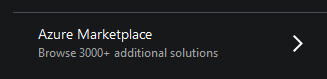
    4. Select “Azure Marketplace” at the bottom.
      enter image description here
      • These aren’t free images. The image we are going to select requires an MSDN license.
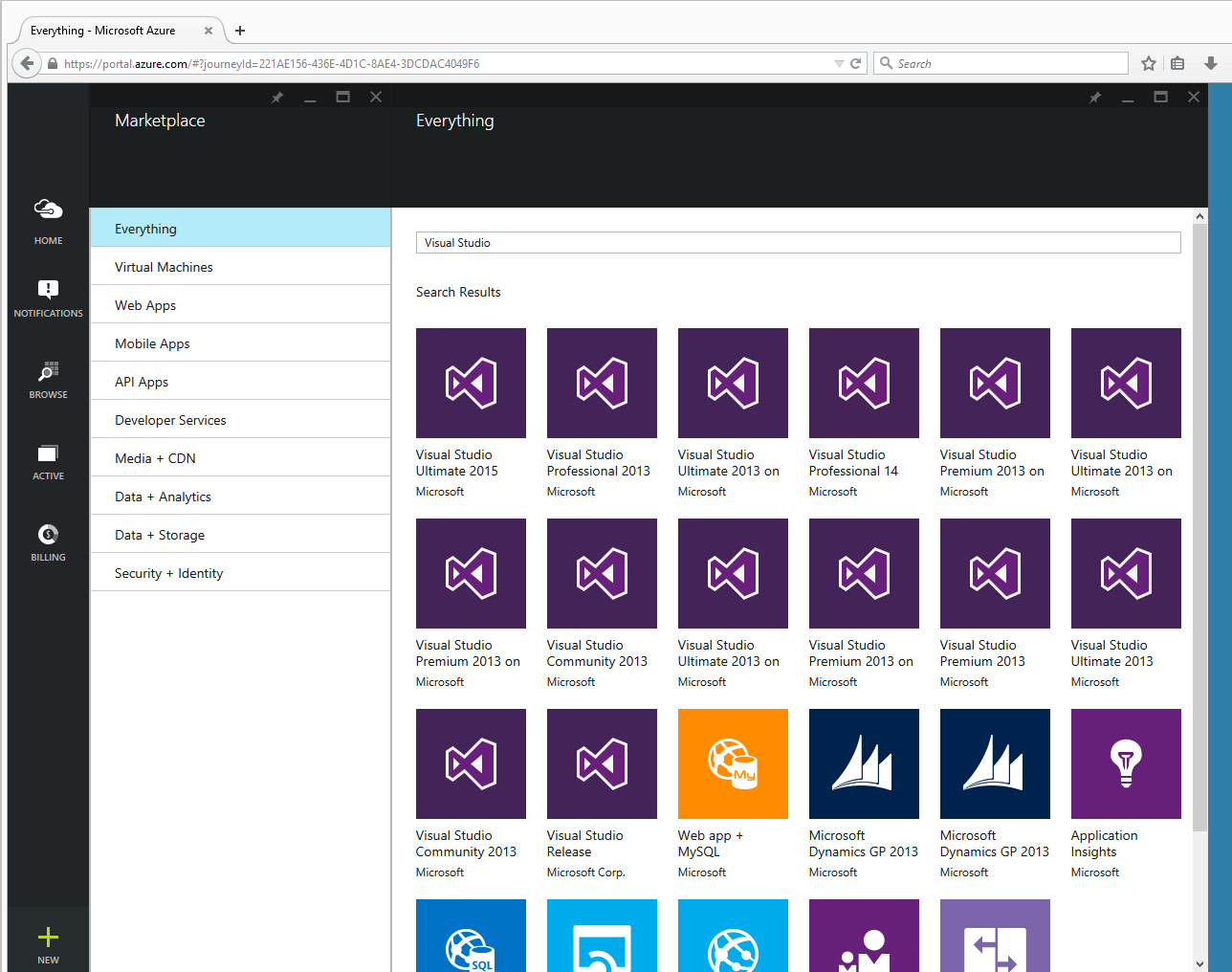
    5. In the “Search Everything” dialog type “Visual Studio”.
      enter image description here
    6. Select “Visual Studio Ultimate 2015”.
      • A window will open to the right describing the selected option.
    7. Select “Create”.
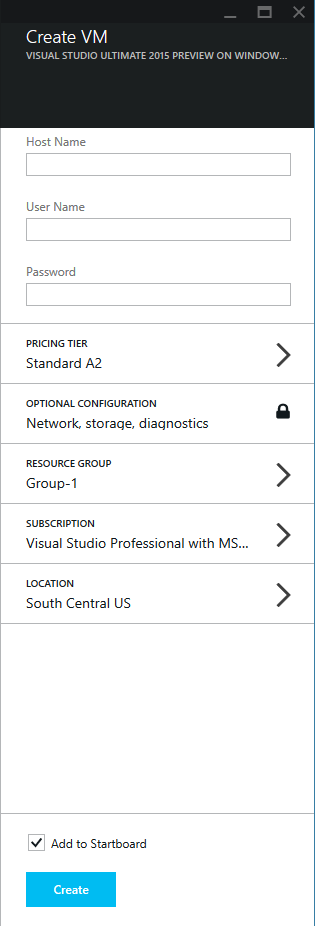
    8. You’ll be asked for the machine name and a UserID and password
      • Don’t forget your user ID and password.
    9. Press Create.
      enter image description here
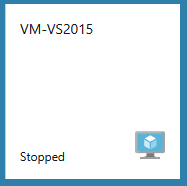
      enter image description here
    Note: the new Virtual Machine is started. I stop mine immediately when I’m done because Azure charges for usage by the minute.
    Consider writing a PowerShell script to shut down all your development and test VMs when they are not in use. Maybe schedule the script to run at 5:30 or whenever your day ends.

    Additional Resources

    If you got this far you might as well check these videos out and see what else is possible.
    Windows Azure Pack Infrastructure as a Service, Service Management Automation
    https://www.youtube.com/watch?v=NL11EtTZrhk\
    The World’s Greatest Azure Demo (PaaS) (spends time talking about Azure from a developer’s perspective)
    https://www.youtube.com/watch?v=7V8HikBP1vQ
    Modern Web Development Tools in Visual Studio 2015
    https://www.youtube.com/watch?v=YFg-SbgITdY
    Explore Visual Studio Online
    https://www.youtube.com/watch?v=MNrXvv21_jE